


StageVox — Why Cedar Audio’s new vocal plugin deserves a serious listen
If you work with live vocals, streaming, broadcast, or even studio tracking, you’ve probably wrestled with the same problems: room noise, stage bleed, unpredictable ambience, and the tension between aggressive noise reduction and preserving the life in a voice. Cedar Audio’s new StageVox plugin is built specifically to tackle those problems in real time — and it brings some of Cedar’s most respected restoration tech into a low-latency, singer-friendly format. In this post, I’ll walk through what StageVox does, how it works, why it stands out from other vocal tools, and practical reasons you should at least download the trial and try it on a vocal chain.
What StageVox is:
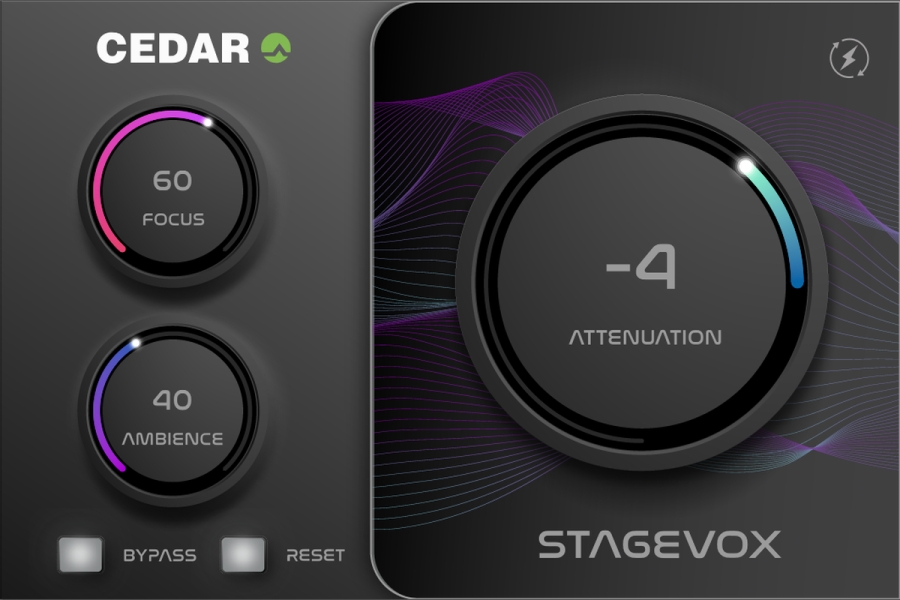
StageVox is a near-zero latency noise-reduction plug-in designed specifically for singers and live vocal applications. It’s part of Cedar’s new “icons” series of plug-ins and uses the company’s CEDAR Quantum technology to deliver extremely low latency processing suitable for live sound, live broadcasting, tracking, and even mastering. The interface is intentionally simple: the controls focus on removing background noise and taming excessive reverberation while letting natural ambience remain when you want it.
Near-zero latency, based on CEDAR Quantum
Cedar’s reputation has always come from forensic-grade restoration and efficient, high-quality algorithms. StageVox leverages CEDAR Quantum technology: that’s the new family of algorithms Cedar is promoting as delivering sub-millisecond latency for live use. The implication is big — you can insert StageVox on a vocal channel for a live performance or monitoring chain without the distracting echo/delay singers hate. For live engineers and streamers, sub-1 ms latency means you can use real-time noise suppression with no timing penalty.
Key features that matter and why they matter:
-
Near-zero latency noise suppression. This is StageVox’s headline feature. Unlike many advanced noise tools that only work well offline, StageVox is designed for real-time environments — live sound, broadcasts and tracking — where latency kills performance. That’s a game changer for on-stage and on-air use.
-
Singer-optimised processing. Cedar has tuned the algorithms specifically for singing, not just speech. The spectral properties of singing (sustained vowels, wide dynamic range, melodic motion) are different from spoken dialogue, so a singer-focused algorithm preserves timbre and expression while removing hiss, stage rumble, or audience/mic bleed.
-
Reverb/ambience control. StageVox includes controls to suppress excessive reverberation while letting desirable, natural ambience remain. That means you can clean up a vocal that’s too wet without removing all the room character — a nice middle ground between “dead” and “chaotic.”
-
Efficient CPU usage. Cedar advertises StageVox as processor-efficient, allowing multiple instances across a mix. In practice, that means you can use it on dozens of tracks or multiple stage mics without instantly maxing out your system — critical for large live rigs or dense streaming sessions.
-
Simple controls for fast results. Instead of presenting a labyrinth of parameters, StageVox focuses on a few meaningful controls — attenuation (how much noise reduction), ambience (how much natural room to leave), and an intuitive GUI. That simplicity is important in live and broadcast contexts where engineers need to dial things in fast.
How StageVox compares to other vocal/noise tools
There are two common approaches to noise suppression you’ll have used: heavyweight offline tools (iZotope RX-style spectral repair), and lightweight real-time gates/expanders or simple denoisers. StageVox sits in a sweet spot: it brings higher-quality, restoration-grade algorithms into a real-time capable, singer-centric plugin.
-
Vs. offline restoration (RX): RX and similar tools are amazing for surgical repair, but require offline processing and a lot of tweaking. StageVox won’t replace deep spectral edits, but it prevents problematic noise before it’s recorded or broadcast — saving time and improving source quality.
-
Vs. live gates/expanders: Traditional gates cut silence but can be crude with sustained singing or breathy passages. StageVox reduces noise without the abrupt artifacts of gating and works across the frequency spectrum intelligently. For live vocals that need to remain natural, that’s a big advantage.
-
Vs. other low-latency denoisers: There are other live denoisers, but Cedar brings decades of restoration pedigree (they’ve long been the go-to in broadcast and forensics). Their algorithms are battle-tested on high-end restoration projects, and StageVox packages that expertise into a plugin tuned for musical vocals. That heritage matters when transparency is a priority.
Real-world use cases — where StageVox shines
-
House of worship & theatre: Many live venues have noisy HVAC, stage rumble, or audience noise. StageVox reduces distractions while preserving vocal presence for worship leaders, musical theatre leads, and soloists.
-
Live broadcast and streaming: Podcasters and streamers who bring live guests or perform vocals can use StageVox to drop the noise floor in real time, improving on-air clarity without needing complex routing or post edits.
-
Tracking and vocal production: Recordists can use StageVox during tracking so takes are cleaner off the board, reducing the need for noisy cleanup later. Its efficiency means multiple takes or stacked vocal tracks remain practical.
-
Mastering & post: Cedar even suggests uses in mastering and post where subtle noise and reverb control can polish a final vocal pass — again, thanks to algorithmic transparency.
Practical tips for getting the best results
-
Start conservative. Use modest attenuation and pull back the ambience control only if the vocal still sounds thin; the goal is to reduce distractions without stripping life from the voice.
-
Use it early in the chain. Insert StageVox before heavy EQ and compression when tracking or broadcasting so you’re feeding a cleaner signal into downstream processors.
-
Monitor in context. Evaluate suppression while playing the full mix; what sounds obvious in solo can be perfectly fine in the band/bed.
-
Multiple instances are okay. Because it’s CPU-efficient, don't be afraid to place StageVox on a few mics (main vocal and a backing vocal bus, for example) rather than routing everything through a single bus where you might lose control.
Pricing and availability
StageVox is sold through Cedar’s online shop — its launch pricing sits in the pro tier (the shop lists it at £249 as of publication). Cedar also offers trial downloads from their site so you can audition StageVox in your own system before buying. If you care about live performance quality and real-time monitoring, that trial is the best next step.
Why you should at least check it out
-
It’s real-time, which changes workflows. Having near-zero latency noise suppression means you can fix problems in the moment — during tracking and live shows — instead of fixing them later (when fixes are often harder and more expensive).
-
Cedar’s pedigree matters. Cedar’s tools are used by broadcasters, archives and forensic labs; their move into affordable plug-ins brings a level of algorithmic quality that many other live denoisers don’t match. That shows up in transparency and artifact behavior — vital for musical material.
-
Simplicity for live use. The interface and limited control set are a feature, not a bug, when you’re on stage or on air. Quick results with minimal fiddling are huge in those environments.
-
Efficient enough for real setups. If you’ve avoided high-quality denoisers because they taxed your CPU, StageVox’s efficiency opens doors for using restoration tech on many channels simultaneously.
Final thoughts — who should try StageVox first
If you run live sound for vocalists, produce live streams, record vocalists in imperfect rooms, or mix broadcasts and want a cleaner signal with as little latency as possible, StageVox should be on your short list. It’s not a replacement for deep offline spectral cleanup, but it is a fundamentally practical tool that helps you capture better performances in the moment — and that often saves hours in post. Cedar’s reputation, the Quantum tech, and the clear focus on singer use make it worth downloading the trial and hearing the difference on your own material.
