


Auto-Tune Is Now Free in FL Studio: Antares and Image-Line Launch Auto-Tune Go
For years, Auto-Tune has been one of the most recognizable names in vocal production. Now, one of the biggest names in pitch correction has landed directly inside one of the world's most popular music-production platforms — and this time, you don't need to buy an expensive vocal plugin to use it.
Image-Line has partnered with Antares to launch AutoTune Go, a new vocal pitch-correction plugin created specifically for FL Studio and available at no additional cost through FL Cloud Free. Image-Line announced the new product on September 14, 2026, describing it as the first plugin created specifically for FL Cloud and confirming that it is available across all FL Cloud tiers.
That makes AutoTune Go particularly interesting for beginners, bedroom producers and FL Studio users who want recognizable Auto-Tune-style vocal processing without adding another paid subscription or plugin purchase to their setup.
The new partnership also represents something bigger for the music-production world. Antares is bringing its technology directly into the workflow of millions of FL Studio users, while Image-Line is continuing to expand FL Cloud beyond samples and cloud services into a more integrated production ecosystem.
What Is AutoTune Go?
AutoTune Go is a streamlined vocal pitch-correction plugin developed by Antares, the company behind the original Auto-Tune technology, specifically for FL Studio and FL Cloud.
Unlike the more advanced versions of Auto-Tune designed for detailed editing and professional vocal production, AutoTune Go focuses on making the essential pitch-correction workflow quick and accessible.
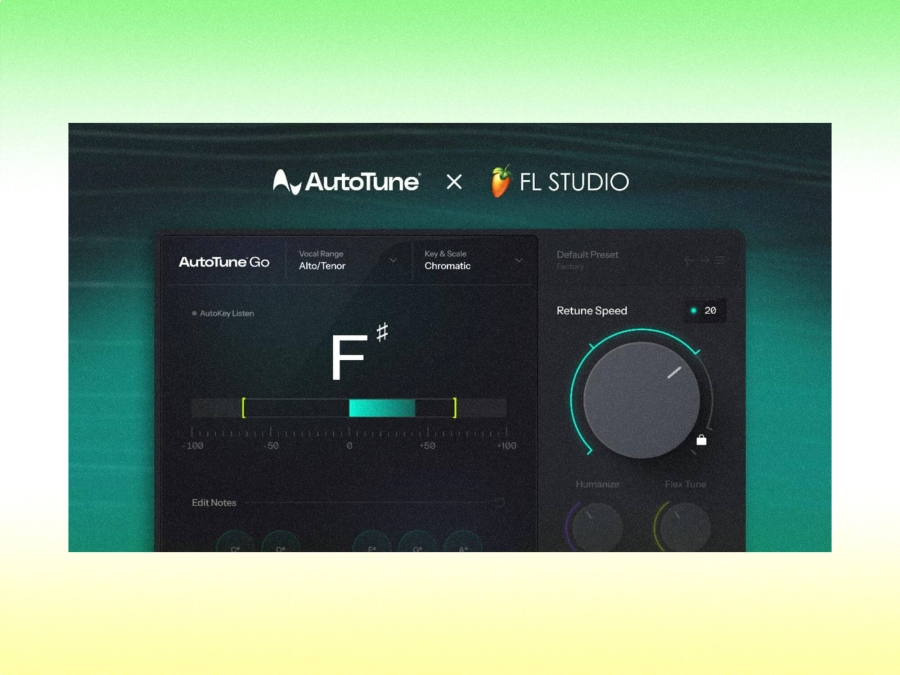
Image-Line says the plugin includes real-time visual pitch display, automatic vocal-range detection, key and scale selection, and four Retune Speed settings.
That combination covers many of the controls producers actually need when tuning a vocal.
You can select the song's key and scale, tell AutoTune Go what vocal range it is working with, and then choose how aggressively the pitch correction should respond.
For a producer who simply wants to clean up a vocal recording, the workflow is intentionally straightforward.
For producers looking for the classic, obvious Auto-Tune effect, the faster Retune Speed settings can also be used to make pitch correction much more noticeable.
The Biggest News: AutoTune Go Is Free
The most significant part of the announcement is the price.
AutoTune Go is available at no additional cost through FL Cloud Free.
Image-Line explicitly states that the plugin is available to all FL Cloud users at no extra cost, meaning users do not need to subscribe to FL Cloud Pro to access it.
That makes the announcement unusual because the Auto-Tune name has traditionally been associated with dedicated paid software products.
Antares' current Auto-Tune lineup includes more advanced products aimed at different levels of vocal production, including Auto-Tune 2026 and Auto-Tune Pro 11. Those products offer considerably deeper functionality such as advanced editing, harmony generation, formant processing and other professional features.
AutoTune Go is not intended to replace those products.
Instead, it puts a simplified version of Antares' pitch-correction technology directly into the FL Studio ecosystem and makes it accessible to a much broader audience.
How AutoTune Go Works in FL Studio
The new plugin is designed to operate directly inside FL Studio rather than forcing producers to move between applications or workflows.
To install it, Image-Line says users should open FL Studio and go to:
Tools > Manage Cloud Plugins
From there, search for AutoTune Go, or locate it in the available plugin list and select Install.
Once installed, it can be used inside an FL Studio project like other effects.
That makes the workflow particularly attractive to vocal producers who already record and mix entirely inside FL Studio.
You can record your vocal, route it to a mixer channel, insert AutoTune Go and begin adjusting the tuning parameters without leaving the DAW.
There is no separate Antares installer required for the FL Cloud version described by Image-Line.
Real-Time Pitch Visualization
One of AutoTune Go's key features is its real-time visual pitch display.
This allows producers to see the pitch information of the incoming vocal while the plugin processes it.
Visual feedback can be extremely useful when tuning vocals because it gives you a clearer picture of what the singer is actually doing.
A producer can hear a note that sounds slightly sharp or flat while also seeing where the detected pitch is sitting.
This makes it easier to understand what Auto-Tune is correcting rather than treating the plugin as a completely automatic black box.
For beginners, that visual element could also become an educational tool.
Over time, producers can start recognizing how vocal pitch moves, where notes drift and how different Retune Speed settings affect the response.
Automatic Vocal Range Detection
Another important feature is Auto Detect for vocal range.
AutoTune Go allows users to manually select the vocal range or let the plugin detect it automatically.
This is particularly useful for newer producers who may not know which vocal range setting is appropriate.
Vocal range detection matters because pitch-correction software needs to interpret incoming notes correctly. Selecting an appropriate range can help the system avoid confusing harmonics or unwanted frequencies with the fundamental pitch of the voice.
For experienced producers, manual selection remains available.
For everyone else, Auto Detect offers a much simpler starting point.
Four Retune Speed Options
Retune Speed is arguably the control most closely associated with the recognizable Auto-Tune sound.
AutoTune Go includes four Retune Speed settings, ranging from subtle correction to fast, tight tuning.
This gives producers a simple way to move between natural-sounding correction and a much more obvious electronic vocal effect.
With a slower or more subtle setting, the goal is generally to correct pitch without making the processing obvious.
With faster settings, the correction happens more aggressively, producing the tighter, more immediate pitch movement that has become a defining sound in contemporary pop, hip-hop, R&B and electronic music.
The important thing is that producers don't necessarily need to choose between "natural" and "obvious."
The four-step system gives them several points in between.
Key and Scale Selection
AutoTune Go also includes Key & Scale controls, allowing users to set vocals to Major, Minor or Chromatic scales.
This is one of the most important parts of getting pitch correction to behave correctly.
If your song is in a specific key, selecting the corresponding scale tells the plugin which notes should be considered musically appropriate.
For example, a vocal recorded over a production in A minor can be processed with the corresponding key and scale rather than allowing the correction system to consider every possible chromatic note equally.
Chromatic mode provides a more open approach when a song does not fit neatly into a conventional major or minor scale.
For producers working quickly, having these controls directly available inside FL Studio makes the setup process straightforward.
AutoTune Go Is Not Auto-Tune Pro
It's worth making this distinction because the word "Auto-Tune" covers a broad family of products.
AutoTune Go should not be viewed as a free replacement for Auto-Tune Pro 11 or Antares' other advanced products.
The feature set is deliberately streamlined.
Professional vocal editors who need detailed graphical pitch editing, advanced correction controls, formant manipulation, harmony generation or highly specific vocal processing will still have reasons to use Antares' more advanced products.
AutoTune Go is designed around speed.
Its appeal is that a producer can load a vocal, select the key, choose a vocal range, set Retune Speed and get to work almost immediately.
That simplicity is part of the product's identity.
Why the FL Studio Partnership Matters
The partnership between Image-Line and Antares is important beyond the launch of one plugin.
Image-Line has been steadily expanding FL Cloud into a broader creative ecosystem. FL Cloud already includes services and tools covering sounds, samples, plugins, mastering, distribution and project backup. Image-Line describes FL Cloud as an integrated extension of the FL Studio workflow.
AutoTune Go adds another significant production tool to that ecosystem.
For Image-Line, the partnership means users can access a famous third-party audio technology without leaving the FL Studio environment.
For Antares, it puts its technology directly in front of a huge population of producers who may never have purchased a standalone Auto-Tune product.
The collaboration therefore makes sense from both sides.
A Big Opportunity for Beginner Producers
The biggest practical impact may be on new producers.
Pitch correction is now a standard part of modern vocal production, but beginners often face a confusing selection of paid plugins, subscriptions and technical controls.
AutoTune Go reduces that barrier.
A producer can download FL Studio's free trial, use FL Cloud Free and access AutoTune Go without purchasing a separate pitch-correction plugin. Image-Line's current FL Studio trial itself is fully functional, although saved projects cannot be reopened after closing the program unless the software is unlocked with a paid edition.
That distinction is important.
AutoTune Go is free through FL Cloud Free, but that does not mean every aspect of the FL Studio ecosystem is completely unrestricted.
Nevertheless, the availability of Antares technology at no additional cost gives new producers a powerful entry point into vocal production.
How Producers Can Get Better Results With AutoTune Go
Having free access to pitch correction does not automatically guarantee great vocals.
The quality of the recording still matters.
A clean vocal recorded with an appropriate microphone, good microphone technique and sensible gain staging will generally give pitch-correction software a better starting point.
Producers should also avoid assuming that maximum correction is always better.
For natural vocals, start with a subtle Retune Speed setting and listen carefully.
If the correction is too slow, pitch problems may remain noticeable.
If it is too fast, the vocal can become unnaturally rigid.
For intentional effects, however, the opposite approach can be exactly what the production needs.
The key is to treat AutoTune as a creative production tool rather than simply an emergency repair system.
Auto-Tune Has Become a Production Language
Few audio technologies have had the cultural impact of Auto-Tune.
Originally developed as a pitch-correction technology, Auto-Tune eventually became a recognizable creative effect in its own right.
The obvious processed-vocal sound became part of the musical language of pop, hip-hop, R&B, electronic music and countless other genres.
That history makes the arrival of an officially integrated and free AutoTune product inside FL Studio particularly significant.
The technology is no longer something that only needs to be understood by professional engineers working in expensive studios.
A bedroom producer can now experiment with the same fundamental concept without buying a separate premium vocal-processing package.
FL Studio Users Now Have Another Reason to Explore FL Cloud
Image-Line's decision to make AutoTune Go available across every FL Cloud tier also strengthens the case for exploring the platform.
FL Cloud already offers sample and preset libraries, cloud backups, AI-powered mastering and distribution-related tools, while FL Cloud Pro adds additional premium plugins and content.
AutoTune Go is therefore another piece in Image-Line's strategy of keeping more of the music-production workflow connected to FL Studio.
Instead of treating the DAW as a standalone application and requiring producers to source everything else independently, FL Cloud is becoming an increasingly important extension of the platform.
The partnership with Antares is a particularly recognizable addition.
What This Means for Vocal Production in 2026
The arrival of AutoTune Go highlights a broader trend in music production: professional-quality tools are becoming increasingly accessible.
AI mastering, stem separation, cloud sample libraries and sophisticated pitch correction are all becoming easier for independent producers to access.
The challenge is no longer simply getting access to technology.
The challenge is learning how to use it tastefully.
AutoTune Go gives FL Studio users another tool, but the producer still determines whether a vocal should sound natural, polished, heavily processed or deliberately synthetic.
That creative decision remains the most important part.
Final Thoughts: AutoTune Has Arrived for Free in FL Studio
The partnership between Image-Line and Antares brings a major name in vocal pitch correction directly into FL Studio through AutoTune Go.
With real-time pitch visualization, automatic vocal-range detection, key and scale selection and four Retune Speed settings, the plugin focuses on the core tools producers need for fast vocal tuning.
The biggest headline is simple: AutoTune Go is free for all FL Cloud users, including the free tier.
That makes this more than just another plugin announcement.
It gives a huge number of FL Studio users a direct way to experiment with one of the most influential vocal technologies in modern music — without adding another paid plugin to their collection.
For experienced producers, it offers a fast, lightweight option for everyday vocal correction.
For beginners, it could be their first introduction to professional pitch-correction workflows.
And for Image-Line and Antares, it represents a partnership that could make Auto-Tune more accessible than ever.
