



Serato DJ 5.0 Public Beta Is Here: Lucid Beatgrids, Open Streaming and Major DJ Workflow Upgrades
Serato has officially opened the public beta for Serato DJ 5.0, and the latest version brings one of the most requested improvements in the software's history: a completely rebuilt beatgrid analysis engine.
At the heart of the update is Lucid Beatgrids, a new system designed to understand tempo changes instead of treating every track as though it has a perfectly fixed BPM. Alongside the new beatgrid technology, Serato DJ 5.0 introduces Open Streaming, Cue Loops, improved streaming information, M3U/M3U8 playlist importing and several library-management improvements.
Serato announced the public beta on September 10, 2026, describing Lucid Beatgrids as its "most accurate, aware, and customizable beatgrids yet."
For DJs who regularly play older disco, funk, soul, rock, live recordings or any music with natural tempo fluctuations, the beatgrid changes could be the biggest reason to try the new version.
Serato DJ 5.0: A Major Update Built Around Better Beatgrids
Beatgrids are fundamental to modern DJ software. They tell the application where the beats and bars of a track occur, allowing features such as Sync, quantized cue points, loops and beat-synchronized effects to work correctly.
The problem is that not every recording follows a perfectly rigid tempo.
Electronic music produced against a DAW timeline is usually easy for DJ software to analyze. Older recordings, live performances and music played by human musicians can behave very differently. A drummer may speed up slightly during a chorus, a tape recording can fluctuate, or a producer may intentionally introduce tempo changes.
Serato's existing system could handle these situations, but DJs often had to manually add and adjust Beat Warp Markers to keep a grid aligned throughout a song. Serato's own support documentation notes that live recordings and non-quantized music can require additional manual beatgrid editing.
Serato DJ 5.0 attacks that problem at the analysis stage.
Lucid Beatgrids Rebuild the Analysis Engine
The headline feature in Serato DJ 5.0 is Lucid Beatgrids, powered by a completely rebuilt analysis engine.
Rather than simply calculating an average BPM and extending a rigid grid across the entire song, the new system can automatically detect tempo changes and follow the music throughout the track.
Serato says the new engine provides improved downbeat detection, greater accuracy and automatic tempo tracking for the first time.
That means a track can now have a beatgrid that responds to what is actually happening in the recording.
For DJs, this could dramatically reduce preparation time.
Instead of opening an old disco track and manually placing grid markers every time the drummer drifts, the software can attempt to map those changes automatically.
Flexible Beatgrid Analysis Is the New Default
One of the most important additions is Flexible Beatgrid Analysis.
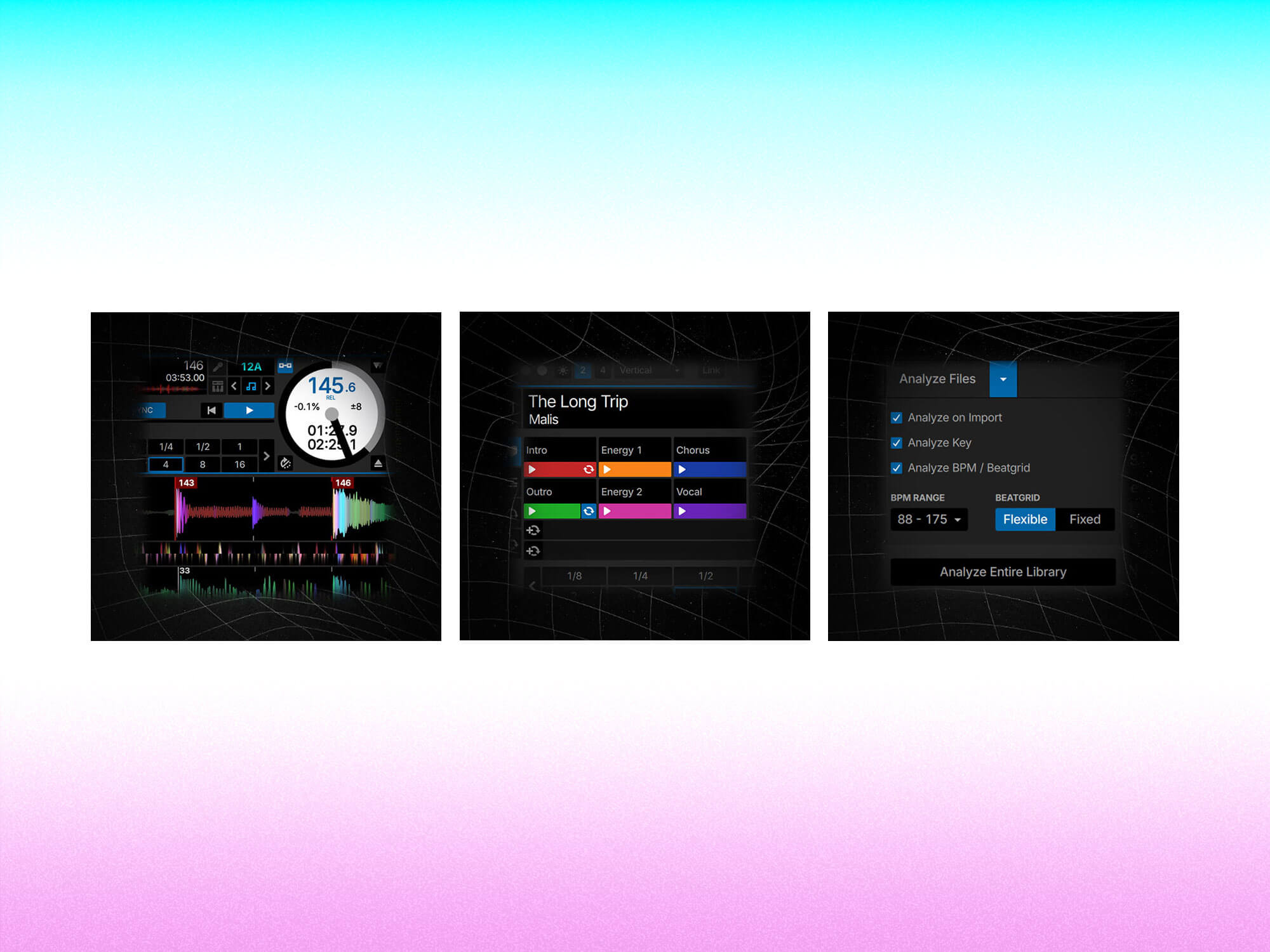
This is now the default analysis mode in Serato DJ 5.0. According to Serato, Flexible mode maps tempo changes throughout the entire track and places markers according to where the beats actually fall. It can also be used on tracks with fixed tempos.
The existing Fixed Beatgrid Analysis mode remains available, but it has also received improved downbeat detection.
That gives DJs more control over how their libraries are analyzed.
For a modern house or techno track with an absolutely stable BPM, Fixed mode may remain the obvious choice. For a live funk recording or an older soul track, Flexible mode could provide a much more natural result.
This is an important distinction because Serato is not simply replacing one analysis method with another. It is giving DJs different approaches depending on the material.
BPM Changes Are Now Visible on the Waveform
Serato DJ 5.0 also makes tempo changes easier to understand visually.
With Lucid Beatgrids, BPM labels can appear directly on the main and overview waveforms whenever the software detects a tempo change.
That is useful during track preparation because DJs can see where a recording changes speed without having to discover the problem halfway through a mix.
The labels are also customizable. Serato lets users choose whether to display every BPM change, only significant changes or none at all.
For DJs who prefer a clean interface, the option to reduce the visual information is useful. For DJs preparing difficult tracks, having the BPM changes clearly displayed could make manual checking much faster.
Beatgrid Changes Can Be Set by Bars or Beats
Serato has added another useful customization option for Flexible Beatgrids.
Users can choose whether BPM changes should be mapped at bar or beat resolution. Bar resolution is the default and should work well for many genres, while beat resolution provides greater precision for more complicated material.
This may sound like a small technical change, but it gives experienced DJs considerably more control.
Music doesn't always behave predictably in four-bar or eight-bar phrases. Some recordings contain subtle timing variations that become important when using Sync or beat-synchronized effects.
Having the option to work at beat-level resolution means DJs can choose accuracy when the track demands it.
New Beatgrid Editing Tools Give DJs Manual Control
Automation is useful, but professional DJs still need the ability to correct the software when necessary.
Serato DJ 5.0 adds two new grid-editing controls: Set Grid Start and Set Beat.
Set Grid Start allows the DJ to establish exactly where the grid begins. Set Beat lets users adjust an individual beat inside a bar without disturbing the remainder of the grid.
This combination of automatic analysis and precise manual editing is arguably more important than automation alone.
The software can do the heavy lifting, while the DJ retains final control.
You Don't Have to Re-Analyze Your Entire Library
Existing Serato users may be wondering what happens to their current beatgrids.
The good news is that upgrading does not mean you have to redo your entire collection.
Serato says users simply need to re-analyze the tracks they want to process with Lucid Beatgrids. Existing beatgrids are not overwritten automatically. The company also says libraries can still be opened in an older version of Serato DJ Pro or Lite with the previous grids intact.
That makes the transition considerably less intimidating.
A practical approach would be to start with the tracks that have historically caused problems: live recordings, older vinyl rips, funk, disco, soul, rock or tracks with obvious tempo changes.
Open Streaming Makes Multi-Service DJing Easier
Beatgrids may be the headline feature, but Serato DJ 5.0 also introduces Open Streaming, a major change for DJs who use subscription music services.
Previously, working across multiple streaming platforms could involve switching accounts or choosing which provider to use at a particular time.
Open Streaming changes that workflow.
Serato says DJs can log into multiple supported streaming services simultaneously and use them alongside their local music library. Each streaming platform appears as its own crate in the library.
This means a DJ could browse one service for a particular track, move to another provider for a different song and continue working without repeatedly changing accounts.
A new provider dropdown beside the search bar also makes it easier to search individual services directly from the library.
Streaming Tracks Now Show BPM and Key Earlier
Another useful improvement concerns track information.
Serato DJ 5.0 can now display BPM and key information for supported streaming tracks before they are loaded or analyzed.
According to Serato, this currently works with Beatport, Tidal, SoundCloud and Spotify. Apple Music does not yet provide this feature.
This could make streaming-based preparation significantly faster.
A DJ searching for music during a session can see important information before committing to loading and analyzing the track, making it easier to judge whether something will fit the current mix.
It also makes streaming libraries feel more like traditional local collections inside the Serato workflow.
Cue Loops Bring Hot Cues and Loops Together
Serato DJ Pro users get another significant performance feature in version 5.0: Cue Loops.
The idea is simple. A Cue Loop combines a Hot Cue and an Auto Loop into a single trigger.
Pressing the Cue Loop pad moves the playhead to the saved cue point and immediately activates the predefined loop.
That opens up some interesting performance possibilities.
A DJ could save a vocal section as a Cue Loop, extend a breakdown, repeat a particular phrase or instantly bring back a rhythmic section without separately triggering a cue and then activating a loop.
The feature is available in Serato DJ Pro only.
M3U and M3U8 Playlist Import Returns
Serato DJ 5.0 also brings back M3U and M3U8 playlist importing.
Users can drag a playlist file into Serato, which then creates a crate containing the mapped tracks. Serato says this can work with playlist exports from other DJ software as well as services and platforms including Apple Music and Spotify.
For DJs moving between systems, this could be a particularly welcome addition.
Playlist portability has always been an important part of managing a serious DJ library, and restoring M3U/M3U8 support gives users another straightforward way to move collections and playlists into Serato.
Protect Library Returns
Another smaller but useful feature is the return of Protect Library.
When enabled, Serato prevents tracks from being removed from the library, crates or computer from within the application.
For DJs with thousands of carefully organized tracks, that provides an extra layer of protection against accidental deletions.
It is not as headline-grabbing as Lucid Beatgrids, but features like this can make a significant difference during everyday library management.
New Tidal DJ Playlists Add More Ready-Made Music Discovery
Serato DJ 5.0 also introduces new default Tidal DJ playlists.
These playlists are available inside both Serato DJ Pro and Lite and give users ready-made selections to explore.
Combined with Open Streaming, the addition reinforces Serato's growing focus on making streaming music a natural part of the DJ library rather than a separate workflow.
Serato DJ Pro vs. Serato DJ Lite in Version 5.0
The new update is not limited to paid Serato users.
Lucid Beatgrids and Open Streaming are available in both Serato DJ Pro and the free Serato DJ Lite, while Cue Loops is exclusive to DJ Pro.
That is significant because the improved analysis engine represents a core improvement rather than a premium performance add-on.
Serato DJ Pro continues to offer additional professional features including recording, advanced FX, additional cue points, MIDI mapping, Beat Jump, advanced Pad Modes and other performance functions.
Should DJs Install the Serato DJ 5.0 Beta?
The public beta is available now, but there is an important caveat: it is still beta software.
Serato explicitly recommends keeping the current version installed and avoiding the beta for critical performances.
For DJs who want to test Lucid Beatgrids, experiment with Open Streaming or explore Cue Loops, however, the beta offers plenty to investigate.
The smartest approach is to install it alongside the stable version and test it with a copy or controlled selection of your library.
Start by analyzing difficult tracks. Compare the new Flexible Beatgrids against your existing grids and pay particular attention to live recordings and older music.
Why Serato DJ 5.0 Could Be a Big Deal
Serato DJ 5.0 is more than a collection of small feature updates.
The rebuilt analysis engine addresses one of the most persistent complaints surrounding DJ software: music does not always behave like a perfectly quantized digital file.
By making beatgrid analysis tempo-aware, Serato is attempting to make its software better suited to the enormous variety of music DJs actually play.
Add Open Streaming, better streaming metadata, Cue Loops, M3U/M3U8 imports and library protection, and the result is a release focused heavily on reducing friction.
The broader message is clear: Serato is trying to make DJs spend less time fixing software problems and more time actually mixing.
For anyone who has ever spent half an hour manually fixing the grid on a nine-minute disco record, Lucid Beatgrids may be the feature that finally makes Serato DJ 5.0 feel like a major leap forward.
